

We all want the quality of the air around us to be as clean and pure as possible. However, pollutants are part of everyday modern life, so the important thing is how we monitor our air and use the results to inform and improve pollutant levels.
Regulations on airborne particles are likely to become tighter. Concern is growing about the risk to human health from particulate matter which is small enough to enter the lungs and can cause respiratory and other health problems.
Similarly, pollutant gases such as oxides of nitrogen (NOx) and volatile organic compounds (VOCs) are also a health concern, and subject to increasing control.
Whether you are looking for a dust or gas-measuring instrument to measure and control your own environment and ensure compliance, or to monitor output from other external pollutants, our range will offer a solution to meet your requirements.
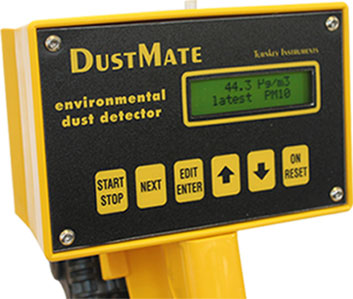
We have devices which are suitable for continuous real-time monitoring as well as our handheld device, the DustMate, which is ideal for short-term sampling and can be used indoors and outside.
Our airborne particulate monitors are practical, straightforward to use and provide accurate readings. Our monitors measure TSP, PM10, PM2.5 and PM1: the normal sampling standards measured throughout the world, plus workplace mode inhalable, thoracic and respirable fractions.
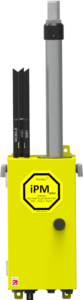
iPM Plus is our newest particulate monitor, measuring all standard and workplace dust fractions, plus the full size distribution from 0.2 to 10 μm with its inbuilt particle spectrometer. It comes with constant temperature- or humidity-controlled inlet heating, an ultra-quiet ultrasonic pump, and built-in Wi-Fi and 4G/5G internet connectivity for pushed or pulled readings to AirQWeb.
The iPM Plus, Topas and Osiris monitors are Environment Agency MCERTS certified for PM10 and PM2.5 monitoring. They can also measure (depending on instrument and options), environmental factors such as wind speed and direction, rainfall, temperature, humidity, pressure and and a variety of external inputs which can be recorded at the same time.
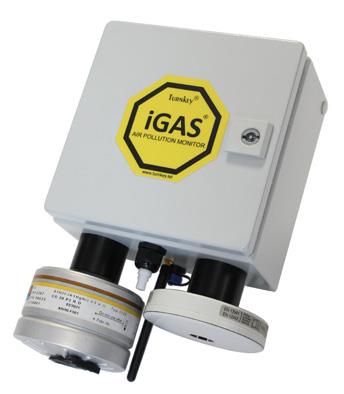
iGASair is our gas monitor, capable of measuring up to eight different species of pollutant and environmental facors simultaneously for real-time, remote monitoring.
Turnkey’s dust and gas-monitoring equipment can be used with our AirQ software, AirQWeb and mobile apps. Designed in-house by the experts at Turnkey, the software is user-friendly and ideal for managing, displaying and monitoring results. Data can easily be reported, collated and compared using the software, and automatic email and SMS alerts set if readings reach chosen levels. Graphs and tables can also be exported to Excel spreadsheets for further analysis and reporting purposes.
Dust and gas pollution monitors can be used alongside each other, and our noise and vibration monitors, in the same installation. These can also be used off-grid where there is no power at the site, with our solar and wind power system and with external leisure batteries.
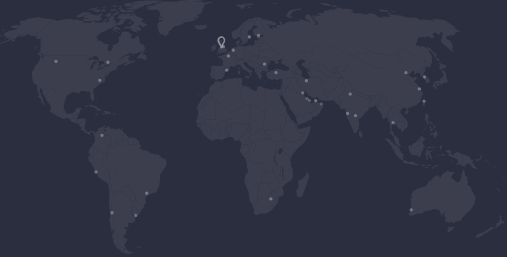
We currently supply our air-monitoring instruments to customers around the world. They are routinely used on industrial sites and in manufacturing environments as well as by environment agencies, local authorities and councils, and scientific researchers.
Tel: +44 (0)1606 330020
Fax: +44 (0)1606 331526
Email: sales@turnkey-instruments.com